
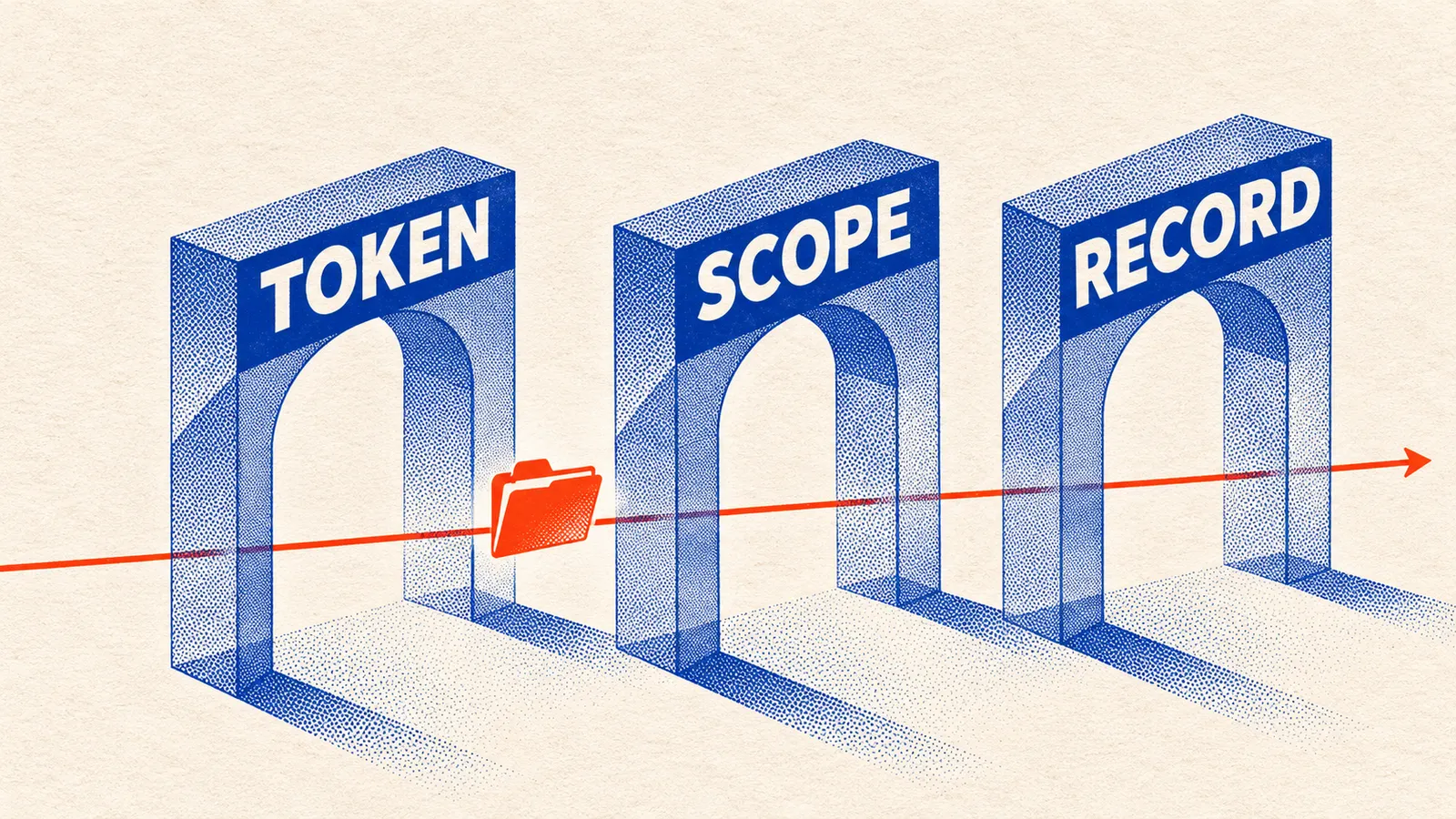
A TypeScript MCP server can read a report on your laptop because it runs with your account’s access. Put that server behind a public HTTPS endpoint and the question changes. Which client is calling? Which user can it act for? Is this access token meant for this server? And does that user have access to the specific report the tool named?
Production MCP security requires three separate decisions. Validate an access token intended for your server. Check the permission required by the tool. Enforce access to the requested object in the application or data layer. A successful OAuth exchange answers only part of this. This guide builds a small TypeScript boundary for a remote, read-only read_report tool and shows how to test each decision. MCP authorization specification
If your server still runs locally, start with the setup or server tutorial. This guide picks up at the point where you expose an MCP endpoint over HTTP and want users to act through their own authorization. Set up MCP in Claude Code and Cursor · Build an MCP server in TypeScript
Jump to the TypeScript example · Jump to the pre-deployment checklist
MCP authentication and authorization at a glance
In a typical delegated setup, an authorization server handles user sign-in and issues access tokens. The MCP host’s client requests a token for the remote server. The MCP server is the resource server: it verifies the token and decides whether to execute the requested operation. An OpenID Connect ID token can tell the client about a sign-in. The credential presented to this MCP endpoint is the access token.
| Token validation | Is the token valid, current, and intended for this MCP server? | HTTP boundary |
| Tool permission | Does the token authorize this operation? | Tool dispatch before any data access |
| Object access | Can this subject read this particular report? | Application policy and the data query |
| Side-effect approval | Does the user approve this specific write or disclosure? | Host or application action gate, where required |
These decisions stay separate even if you use a single identity provider. A reports:read scope grants a class of operations. It cannot tell you which report a user owns. Likewise, hiding a tool from discovery can simplify the client interface. The server still has to authorize it at invocation time.
Four MCP security risks to account for
1. Tool poisoning
Tool poisoning in MCP is a trust problem. A tool’s metadata or output can contain text that tries to steer the model beyond the user’s request. Review descriptions and schemas before enabling a server. Keep instructions from trusted application policy distinct from tool output, and validate structured results that your application depends on. Text inside a result should not determine what permissions the next call receives. OWASP MCP Security Cheat Sheet · Pristren’s guide to context engineering
2. Rug-pull schema mutations
A tool approved last week may advertise a changed description, schema, or annotations today. Track reviewed definitions against a stable server identity and compare the full definition when it changes. Pause the affected tool and re-review the diff before forwarding it again. A change to whether a tool is suggested as read-only deserves attention even if its name and input fields are unchanged. Metadata fingerprints detect changes in what is advertised. Review releases and server behavior separately, because an unchanged schema says little about the underlying implementation. OWASP’s tool definition review guidance
3. Confused deputies and over-privileged tokens
An MCP server can have access to downstream systems that the requesting user lacks. It becomes a confused deputy when it uses that authority for a request that lacks the necessary permission. At the MCP boundary, validate the intended audience and required scope. At the data boundary, evaluate the verified user’s rights to the actual object. Where the server needs to call a separate API, use the downstream API’s authorized credential strategy. Avoid passing the inbound MCP token through to another service. MCP security best practices
4. Cross-server data exfiltration
A host may connect to both a private data source and a tool that sends information outside the organization. The first tool can be authorized to retrieve a report and the second can be authorized to send a message. That still leaves the host with a decision about sending that report to that destination. Gate data transfer with policy based on the recipient and sensitivity. Limit accessible destinations where practical and show users the fields and destination before approving a consequential disclosure. The application should enforce that rule independently of instructions supplied to the model. OWASP MCP Security Cheat Sheet
Set up MCP OAuth 2.1 for remote HTTP
MCP’s July 28, 2026 authorization specification is the reference for this guide. It cites the OAuth 2.1 IETF draft and requires authorization server discovery through OAuth Protected Resource Metadata. The draft and the MCP specification can evolve, so check the version supported by the client and server you actually deploy. This example targets remote HTTP. Local stdio setups have a different credential model. MCP authorization · OAuth 2.1 IETF draft · MCP transports
- Choose a canonical resource URL. This example uses
https://mcp.example.com/mcp. Configure the authorization server to issue tokens for that audience and register the narrowreports:readscope. Use consistent URL spelling across client requests, metadata, and validation. - Publish the protected resource metadata. Serve the example’s
protectedResourceMetadataobject as JSON atGET /.well-known/oauth-protected-resource/mcp. The metadata names the protected resource and its issuer. For an unauthenticated call, theWWW-Authenticatechallenge points the client to that document. - Let the client and identity provider handle the grant. A user-facing client uses the authorization code flow with PKCE under the applicable MCP and OAuth requirements. It sends the
resourceparameter when requesting authorization and exchanging the code so the resulting access token can be bound to the intended MCP server. Keep consent and redirect handling in a maintained client and authorization server. - Verify Bearer access tokens at the HTTP boundary. Require the authorization header on protected requests. Validate the issuer, audience, signature, token type, and lifetime. Give token validation a trusted key source from deployment configuration. The request or model should never choose the issuer or key endpoint.
Protected Resource Metadata (RFC 9728) · Resource Indicators (RFC 8707) · OAuth security guidance (RFC 9700)
Implement MCP authentication in TypeScript
The example assumes your authorization server issues RS256 JWT access tokens using the RFC 9068 profile. Its OAuth grant and user login happen at the identity provider. The code below handles the resource server side and leaves the MCP SDK in charge of transport and protocol messages. If your provider issues opaque tokens, use its supported introspection method and validate the returned authorization data under the provider’s contract. JWT access token profile (RFC 9068) · JOSE library
mcp-auth.mts
import { jwtVerify, type JWTVerifyGetKey } from 'jose';

const issuer = 'https://auth.example.com';
const resource = 'https://mcp.example.com/mcp';
const metadata = 'https://mcp.example.com/.well-known/oauth-protected-resource/mcp';
const readScope = 'reports:read';

export const protectedResourceMetadata = {
  resource,
  authorization_servers: [issuer],
  scopes_supported: [readScope],
  bearer_methods_supported: ['header'],
};

export class McpAccessError extends Error {
  status: 400 | 401 | 403 | 404;
  challenge?: string;

  constructor(status: McpAccessError['status'], message: string, challenge?: string) {
    super(message);
    this.status = status;
    this.challenge = challenge;
  }
}

const challenge = `Bearer resource_metadata="${metadata}"`;
const invalidToken = () =>
  new McpAccessError(401, 'Invalid access token', `${challenge}, error="invalid_token"`);

const invalidTokenCodes = new Set([
  'ERR_JWT_EXPIRED', 'ERR_JWT_CLAIM_VALIDATION_FAILED', 'ERR_JWT_INVALID',
  'ERR_JWS_INVALID', 'ERR_JWS_SIGNATURE_VERIFICATION_FAILED', 'ERR_JOSE_ALG_NOT_ALLOWED',
  'ERR_JWKS_NO_MATCHING_KEY', 'ERR_JOSE_NOT_SUPPORTED',
]);

export async function authenticate(header: string | null, trustedKeys: JWTVerifyGetKey) {
  if (!header) throw new McpAccessError(401, 'Access token required', challenge);
  const match = /^Bearer +([A-Za-z0-9._~+/-]+=*)$/i.exec(header);
  if (!match) throw new McpAccessError(400, 'Malformed authorization header');

  let payload;
  try {
    ({ payload } = await jwtVerify(match[1], trustedKeys, {
      issuer,
      audience: resource,
      algorithms: ['RS256'],
      typ: 'at+jwt',
      requiredClaims: ['sub', 'client_id', 'jti', 'iat', 'exp'],
      maxTokenAge: '10m',
      clockTolerance: 5,
    }));
  } catch (error) {
    const code = (error as { code?: string } | null)?.code;
    if (code && invalidTokenCodes.has(code)) throw invalidToken();
    throw error;
  }
  if (typeof payload.sub !== 'string' || !payload.sub ||
      typeof payload.client_id !== 'string' || !payload.client_id ||
      typeof payload.jti !== 'string' || !payload.jti ||
      (payload.scope !== undefined && typeof payload.scope !== 'string')) {
    throw invalidToken();
  }

  return {
    subject: payload.sub,
    clientId: payload.client_id,
    scopes: new Set((payload.scope ?? '').split(' ').filter(Boolean)),
  };
}

type Principal = Awaited<ReturnType<typeof authenticate>>;
type Report = { id: string; title: string };
type OwnedReportReader = (subject: string, reportId: string) => Promise<Report | null>;

export async function callTool(
  principal: Principal,
  name: string,
  args: unknown,
  readOwnedReport: OwnedReportReader,
) {
  if (name !== 'read_report') throw new McpAccessError(403, 'Tool unavailable');
  if (!principal.scopes.has(readScope)) {
    throw new McpAccessError(403, 'Read scope required',
      `${challenge}, error="insufficient_scope", scope="${readScope}"`);
  }
  if (!args || typeof args !== 'object' || Object.keys(args).length !== 1 ||
      !('reportId' in args) || typeof args.reportId !== 'string' ||
      !/^r-[0-9]{1,8}$/.test(args.reportId)) {
    throw new McpAccessError(400, 'Expected one reportId');
  }
  const report = await readOwnedReport(principal.subject, args.reportId);
  if (!report) throw new McpAccessError(404, 'Report not found');
  return report;
}
Connect the guard to your MCP SDK
Replace the example issuer and resource constants with the values from your deployment. Create one createRemoteJWKSet(new URL(trustedJwksUrl)) resolver at startup using the key endpoint from your trusted provider configuration. Authenticate every protected HTTP request before dispatch. Filter discovery to tools the client may see, then enforce the tool and object checks again on each call. MCP protocol versions and SDK entry points vary. Put the guard at the actual transport and dispatch boundaries for your implementation.
Map McpAccessError.status and .challenge through your HTTP or MCP error handling as appropriate. A missing or invalid credential receives 401; insufficient OAuth scope receives 403 with the narrow scope required for that operation. The sample treats a report outside the caller’s visibility as unavailable. Handle unexpected verifier errors separately so a key service outage fails closed and remains visible in server telemetry. Never log the credential itself.
The readOwnedReport dependency is part of the security boundary. Use the verified subject to look up the caller’s membership and query the report within that visibility. A report ID can come from tool arguments. The identity and tenant used to enforce access come from verified state. For a shared service, test tenant membership and report ownership independently of OAuth scopes.
Run the authorization checks
In an empty example directory, save both files. Use Node.js 24 and install the version of jose used for this run. The test creates an ephemeral signing key and uses a local report fixture. It makes no calls to an identity provider, MCP server, or external API.
npm install jose@6.2.3
node --test mcp-auth.test.mts
mcp-auth.test.mts
import assert from 'node:assert/strict';
import test from 'node:test';
import { createLocalJWKSet, exportJWK, generateKeyPair, SignJWT } from 'jose';
import { authenticate, callTool, McpAccessError, protectedResourceMetadata } from './mcp-auth.mts';

const { privateKey, publicKey } = await generateKeyPair('RS256');
const keys = createLocalJWKSet({ keys: [{ ...await exportJWK(publicKey), kid: 'fixture' }] });
const issuer = protectedResourceMetadata.authorization_servers[0];
const resource = protectedResourceMetadata.resource;

async function fixture(scope = 'reports:read', audience = resource, expired = false) {
  const now = Math.floor(Date.now() / 1000);
  const token = await new SignJWT({ scope, client_id: 'local-test-client' })
    .setProtectedHeader({ alg: 'RS256', typ: 'at+jwt', kid: 'fixture' })
    .setIssuer(issuer).setAudience(audience).setSubject('user-1').setJti('fixture-token')
    .setIssuedAt(now - 120).setExpirationTime(expired ? now - 60 : now + 300)
    .sign(privateKey);
  return `Bearer ${token}`;
}

const reports = new Map([['user-1:r-1', { id: 'r-1', title: 'June summary' }]]);
const readOwned = async (subject: string, id: string) => reports.get(`${subject}:${id}`) ?? null;
const isStatus = (status: number) => (error: unknown) =>
  error instanceof McpAccessError && error.status === status;

test('valid token and scope can read an owned report', async () => {
  const user = await authenticate(await fixture(), keys);
  assert.equal((await callTool(user, 'read_report', { reportId: 'r-1' }, readOwned)).title, 'June summary');
});

test('missing token returns a 401 discovery challenge', async () => {
  await assert.rejects(authenticate(null, keys), (error: unknown) =>
    error instanceof McpAccessError && error.status === 401 &&
    error.challenge?.includes('resource_metadata=') === true);
});

test('token for a different resource is rejected', async () => {
  await assert.rejects(authenticate(await fixture('reports:read', 'https://other.example.com/mcp'), keys), isStatus(401));
});

test('expired token is rejected', async () => {
  await assert.rejects(authenticate(await fixture('reports:read', resource, true), keys), isStatus(401));
});

test('missing tool scope is denied before reading data', async () => {
  const user = await authenticate(await fixture('reports:list'), keys);
  const mustNotRead = async () => { assert.fail('The data reader should not run'); };
  await assert.rejects(callTool(user, 'read_report', { reportId: 'r-1' }, mustNotRead), (error: unknown) =>
    error instanceof McpAccessError && error.status === 403 &&
    error.challenge?.includes('scope="reports:read"') === true);
});

test('a report outside the subject’s visibility is unavailable', async () => {
  const user = await authenticate(await fixture(), keys);
  const readAnotherOwnersReport = async (subject: string, id: string) => {
    assert.equal(subject, 'user-1');
    assert.equal(id, 'r-2');
    return null;
  };
  await assert.rejects(callTool(user, 'read_report', { reportId: 'r-2' }, readAnotherOwnersReport), isStatus(404));
});

test('unknown tool and unexpected arguments are denied', async () => {
  const user = await authenticate(await fixture(), keys);
  await assert.rejects(callTool(user, 'write_report', {}, readOwned), isStatus(403));
  await assert.rejects(callTool(user, 'read_report', { reportId: 'r-1', owner: 'user-2' }, readOwned), isStatus(400));
});
The run on Node.js 24.20.0 passed all seven tests, and both files passed strict TypeScript checking. A token for another resource and an expired token were rejected. A token missing reports:read never reached the data reader. A valid token with the right scope still could not read a report outside the subject’s visibility. These checks cover the guard and fixture. Exercise the SDK wiring, real provider metadata, and deployed data policy in staging before release.
MCP security checklist before deployment
| Discovery and transport | The client follows the metadata URL, discovers the expected issuer, and makes protected requests over HTTPS. The transport handles browser origins as specified for your setup. |
| Token audience and expiry | A valid token for this MCP resource works. An expired token or a token for another resource returns 401. |
| Scoped permissions | A valid token without the narrow tool scope receives 403. The tool handler performs no data access. |
| Object and tenant access | A valid reader can retrieve an authorized report. A report outside that reader’s visibility stays unavailable. |
| Reviewed tool definitions | A newly advertised tool or definition change is withheld until reviewed. Keep the approval record associated with the server identity. |
| Cross-server data boundaries | A transfer that policy disallows stops before the send. Check the destination and data fields in approval flows for permitted transfers. |
| Dependencies and operations | Review dependency changes, rate-limit the public endpoint, exercise key rotation, and verify logs contain decision codes rather than tokens or report contents. |
Start with one read-only tool and retain the staging evidence for that path. When you add the first write or external send, review its authorization and approval requirements as a new operation. It helps to keep the control points visible in code. The resource server decides whether a token can enter. The tool dispatcher decides what operation it permits. The data layer decides which records it can reach.

Comments
Have a question or something to add? Sign in to join the discussion.