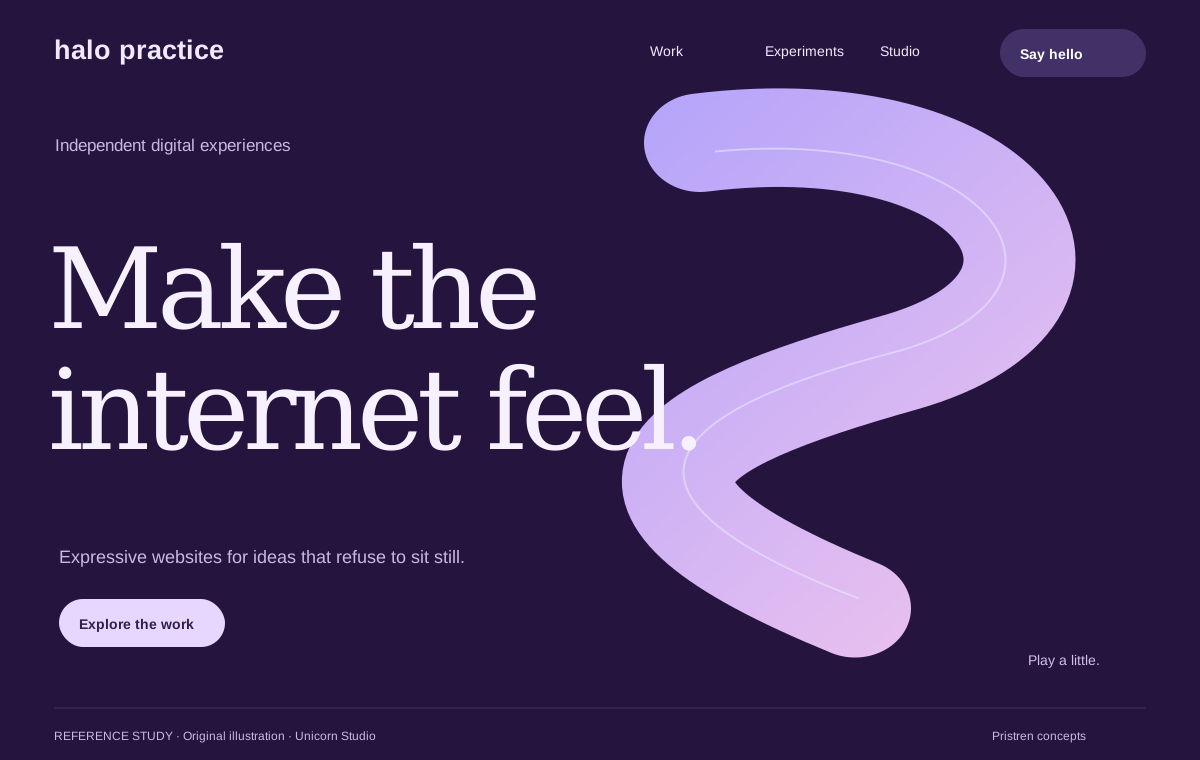
Unicorn Studio
Design referenceA reference for confident typography and art-directed interactive graphics.
Original Pristren concept study. View the source for the actual site.
Build and design
Create a memorable 3D moment that respects the page’s loading and accessibility budget.
A responsive website with one deferred 3D scene, a useful static fallback, and recorded loading checks.
Choose your AI tool, describe your task, and copy one complete project brief. Your inputs stay in this tab.
Includes your prompt, selected references, skill instructions, setup steps, and checks. Use your own AI account; Pristren does not run a model here.
Describe your project or task to prepare your brief.
Build a lightweight 3D website for [Describe the project, audience, and useful result.]. Respect these constraints: Use existing project conventions. State assumptions and verify the result..

First inspect the existing stack, scripts, assets, and page. State the audience, primary action, and the job of the 3D element. Propose a small visual composition using the selected references as principles, not a layout to copy. If the scene cannot justify its delivery cost, explain the tradeoff before implementing it.

Build semantic content and a responsive static poster first. Keep navigation, headings, and the primary action usable before scene code loads. Load an interactive scene on explicit request or a justified deferred trigger, and release render loops and resources when it is no longer needed. Respect reduced motion, keyboard access, and small screens. Do not introduce trackers or third-party embeds without documenting their requests.

Implement one focused scene with an asset budget. Use existing project dependencies where appropriate. Compare the production page with the scene disabled and enabled under the same conditions. Report actual bytes and observed timings, the tested configuration, fallback behavior, and unresolved issues. Do not claim a field performance pass from a lab score.

Execution environment: Codex. Follow applicable project instructions and verify the requested result.

Workflow
https://pristren.com/workflows/build-lightweight-3d-website/

Expected result
A responsive website with one deferred 3D scene, a useful static fallback, and recorded loading checks.

Before you begin
- A repository and its existing build command.
- A specific audience, primary conversion, and approved visual assets.
- A baseline page measurement and an agreed media/JavaScript budget.

Setup for Codex
- Start Codex in the repository and read applicable AGENTS.md guidance. Include only the files this task needs.
- Build the text, layout, and poster first. Add the 3D layer only after the ordinary page works.
- Use the acceptance checks below to assess the result; an agent completion message is not evidence that the task passed.

Visual references
Study these as design references. Create an original design; do not copy branding, assets, or an entire layout.
- Unicorn Studio: https://www.unicorn.studio/
  Spend visual emphasis on one memorable composition and leave it room.
  Use an optimized still to communicate the direction before loading live graphics.
- Three.js: https://threejs.org/
  Let visitors explore techniques through thumbnails before loading a scene.
  Connect examples to source; inspect separate notices for example media assets.
- Spline: https://spline.design/
  A product viewer or website hero makes the capability concrete.
  Separate authoring from delivery and compare a scene’s cost with its static poster.
- Forma: https://pristren.com/kits/demos/forma/index.html?preview=1
  The ring sculpture adds depth while the text stays in normal document flow.
  Pointer and button interaction reveal the shape; reduced motion preserves a static presentation.

Selected resources
- Three.js: https://threejs.org/
  Check the existing dependency and bundler first. Follow the Three.js installation manual for the project’s actual package manager and pin the chosen version.
  Create a minimal scene with a camera, renderer, resize handling, and disposal. Verify a static fallback before integrating production assets.
  Start Codex in the repository and read applicable AGENTS.md guidance. Include only the files this task needs.
  Use the official source below for current runtime requirements and package-manager-specific commands. Report the actual result and any unsupported environment.
  npm install --save three
- Turn references into an original design brief: https://pristren.com/resources/reference-design-brief/
  Use the published resource’s Download SKILL.md action, or copy its complete original SKILL.md text. Draft resources are not publicly downloadable.
  Save the supplied SKILL.md as .agents/skills/reference-design-brief/SKILL.md in the project. Review it before use.
  Open the project in your tool and select reference-design-brief by name; check that it resolves to this project-local version.
  Read the resource below and apply only the parts relevant to the current task.
  Inspect the loaded skill before using it on a representative task. This page documents setup; it has not performed the installation for you.
  mkdir -p .agents/skills/reference-design-brief

Skill instructions (Turn references into an original design brief)
---
name: reference-design-brief
description: Extract layout, hierarchy, and interaction decisions from supplied visual references when creating an original website or interface.
---

# Reference design brief

Start from the user's own product, audience, and primary action. If any are missing and materially change the design, ask a focused question before selecting a direction.

For each supplied reference, identify the specific part worth studying: typography scale, content progression, navigation, component behavior, or composition. Distinguish observed details from guesses about implementation. Do not copy source branding, photography, illustrations, wording, or an entire page arrangement.

Translate the references into a short brief containing: the intended user action; the visual principles to preserve; an original palette and type treatment; section order; one interaction that earns its cost; mobile behavior; and the checks that show the design works. Keep source URLs attached to the observations, rather than loading full reference pages into every later prompt.

If references disagree, state which principle serves the user's task and choose one direction. Produce an implementation-ready brief, then work within the project's existing framework and components. Load a reference again only when a concrete unresolved detail needs inspection.

Verify the result at a narrow and wide viewport, with keyboard use and reduced motion. Report what was checked and any visual decisions that remain assumptions.

- Build a lightweight 3D website — master prompt: https://pristren.com/resources/build-lightweight-3d-website-prompt/
  Use the task-specific master prompt above.

Execution
1. Capture the existing page and loading baseline; agree on a scene and asset budget.
2. Make an original reference brief and build the responsive text and static hero.
3. Add a small, deferred scene with a stop/dispose path and an equivalent static state.
4. Run the production build and compare enabled/disabled scene behavior on the target viewport.

Acceptance checks
- Primary content and CTA work with the scene unavailable.
- Reduced motion avoids continuous animation and does not hide information.
- Keyboard focus never becomes trapped inside the scene.
- Production bundle and media costs are recorded against the agreed budget.

If something fails
- The hero loads slowly: Inspect model textures, bundle splitting, and unnecessary render work. Keep the static poster until the visitor requests the scene.
- The canvas dominates mobile interaction: Reduce the scene footprint and use an explicit interaction control. Keep ordinary page scrolling available.

Inspect the project first. Report the changes, the checks actually run, and anything still unresolved. Ask before any deployment or external publication.
These source links and design notes travel with your brief. Keep only the references that fit your project.
Tool setup checked against official documentation. Pristren has not executed this workflow through this tool.
Required resources are included. Add optional ones when your task needs them.
Required
Start with this workflow’s original task-specific master prompt.
Review instructionsRequired
Translate inspiration into an original composition before generating code.
Review instructionsFrom Pristren’s own implementation
An original portfolio with a twelve-ring sculpture you can turn with a pointer or a keyboard-accessible button. Open the actual page and try it.
Try the working websiteA sculptural portfolio needs depth without making the content depend on a graphics engine.
HTML and CSS provide the composition. A small script adds input-driven rotation; the ordinary page remains usable without it.
.sculpture {
  transform-style: preserve-3d;
  transform: rotateX(var(--rx)) rotateY(var(--ry)) rotateZ(var(--rz));
}This example uses CSS 3D, not WebGL. Its portfolio projects are labeled samples. It demonstrates an implementation, not a promise that every model will reproduce it or a field-performance benchmark.
A reference for confident typography and art-directed interactive graphics.
Original Pristren concept study. View the source for the actual site.
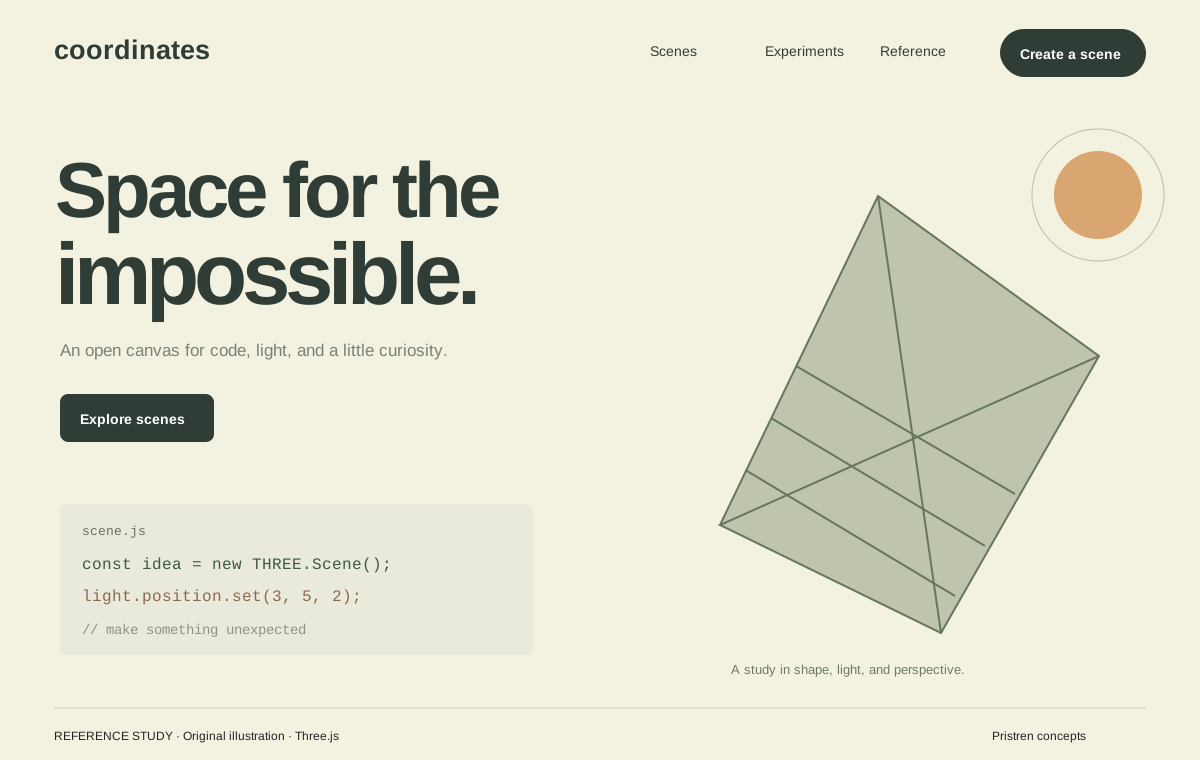
A reference for an example-first 3D library and public demonstrations.
Original Pristren concept study. View the source for the actual site.
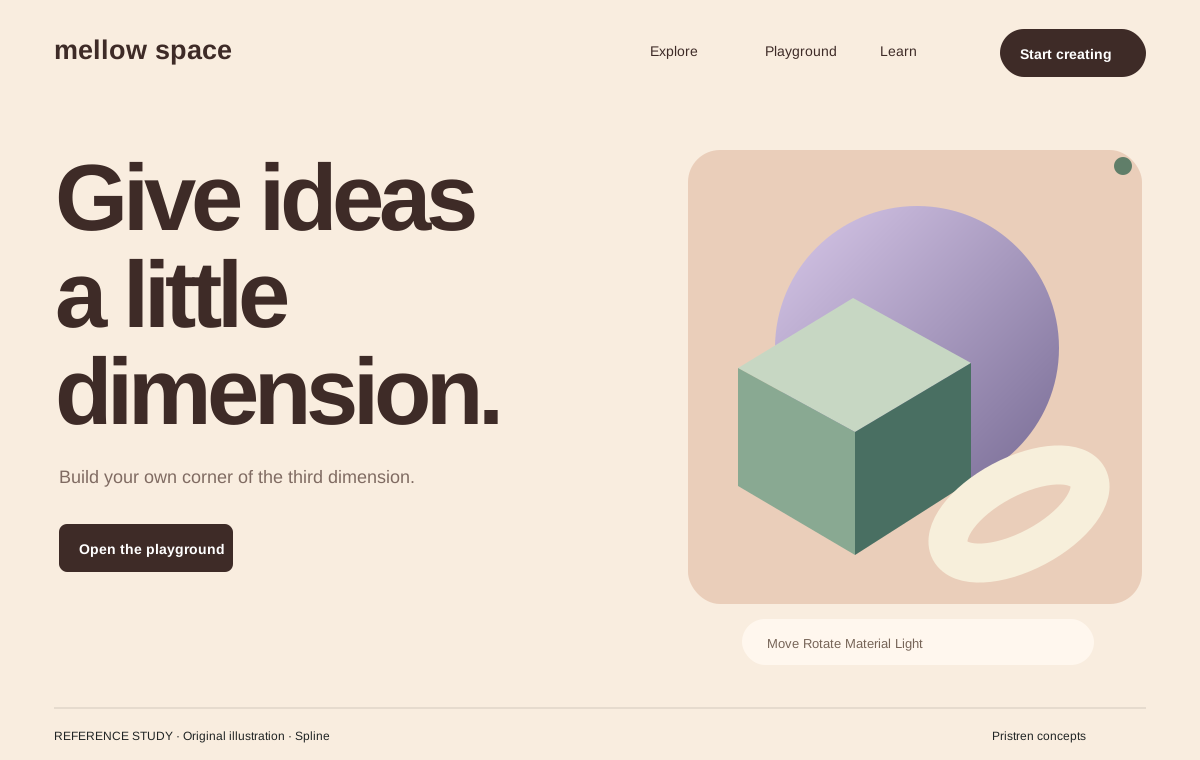
A reference for showing 3D creation through recognizable scenes.
Original Pristren concept study. View the source for the actual site.
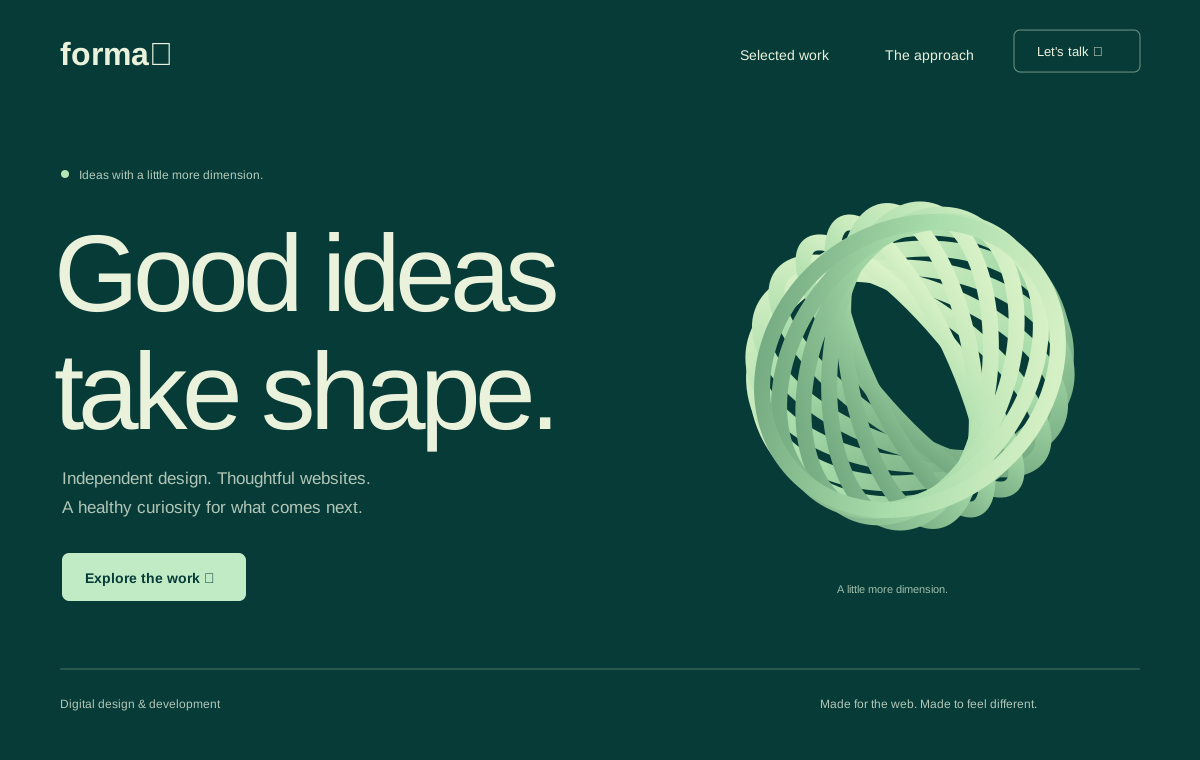
A free portfolio starter built around a lightweight CSS sculpture.
Inspect model textures, bundle splitting, and unnecessary render work. Keep the static poster until the visitor requests the scene.
Reduce the scene footprint and use an explicit interaction control. Keep ordinary page scrolling available.
Try the brief in your AI tool first. Your feedback helps us find workflows that need attention.