
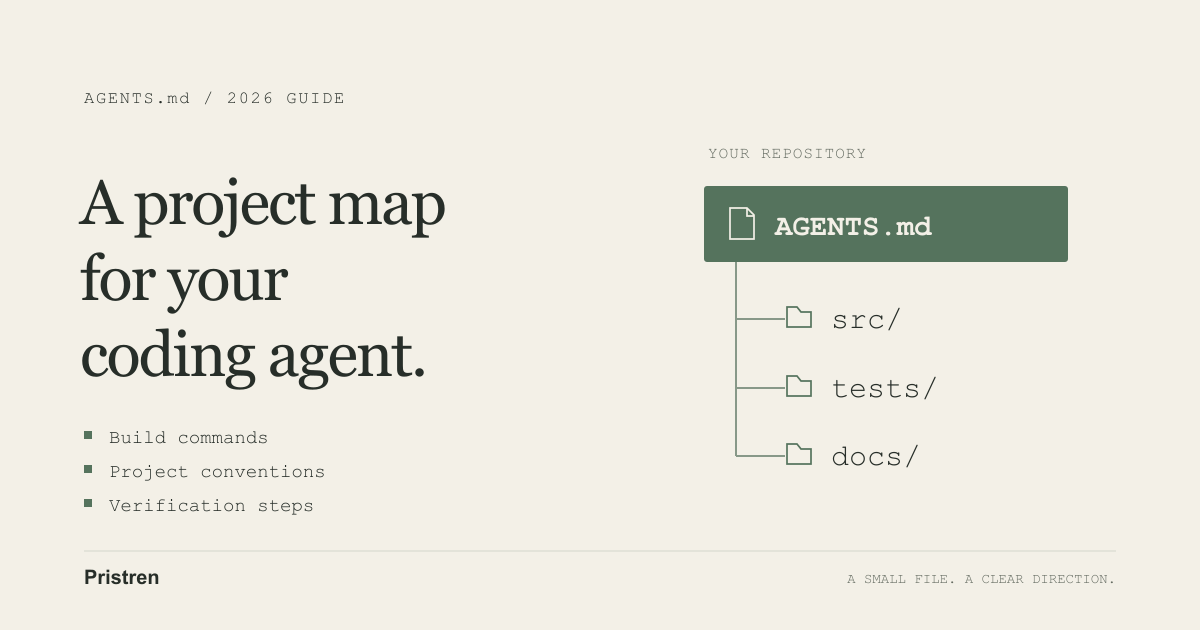
An AGENTS.md file gives a coding agent a map of your project: where code belongs, which commands work, and what to verify before calling a change finished. The useful part is specificity. “Write good code” gives an agent little to act on. “Use the existing Node test runner and keep task utilities immutable” describes a checkable decision.
This guide starts with a small template, then explains Codex and Cursor separately. It also includes a working TypeScript feature you can use to check whether your instructions are useful.
Checked November 10, 2026. The published Codex CLI stable release was 0.167.0; Cursor’s stable macOS ARM64 download endpoint reported 3.29.15. Local version checks returned Codex 0.167.0-alpha.3.2 and Cursor 3.29.9, so those installations are not presented as tests of the latest stable builds. The runnable example passed five tests on Node.js 24.21.0 and a type check with TypeScript 5.9.3. Tool loading behavior below is documentation-verified, not an independent cross-tool benchmark. Sources: Codex release, Cursor stable download metadata.
Start with this AGENTS.md template
Create AGENTS.md at your repository root. Adapt this example to your actual scripts before using it:
# Task-list application

## Project map
- src/ contains application code.
- tests/ contains automated tests.
- docs/ describes public behavior.

## Commands
- Install dependencies: npm ci
- Check types: npm run check
- Run tests: npm test

## Working agreements
- Reuse existing libraries and patterns before adding dependencies.
- Do not mutate caller-owned arrays in exported utilities.
- Update docs when public behavior changes.
- Run the relevant checks after changing code.
- Report what changed, commands run, and any checks that failed.
If there is no lockfile, npm ci is the wrong instruction. If your test command is pnpm test, write that instead. A short, accurate file beats an impressive template containing commands your project cannot run.
Before asking for a feature, ask the agent to identify the applicable instructions and explain which checks it plans to run. Review that answer against the actual files. Repeating a rule is a useful discovery check; following it still needs verification in the resulting patch.
What belongs in the file?
Think of this as a handover to an engineer joining an unfamiliar repository. Include the package manager, important directories, reliable checks, and conventions that would otherwise require correction.
The AGENTS.md format website describes an open Markdown format that multiple coding tools can consume. Compatibility does not mean every tool discovers or prioritizes files identically.
Keep the feature request in chat. Keep stable project guidance in the repository. For example, “add completed-task filtering” is a task; “public utility changes need behavior documentation” is a convention worth retaining.
Avoid copying your whole README or a library manual. Point to the relevant document and explain when it matters. Prefer “follow src/tasks.ts for immutable utilities” over a long style essay. Remove instructions that merely restate what the linter already enforces.
How Codex loads AGENTS.md
According to OpenAI’s instruction guide, Codex combines global guidance with project files on the path from the project root to its starting working directory. Within a directory, AGENTS.override.md takes priority over AGENTS.md; configured fallback names are checked afterward. At most one file is selected per directory.
More local guidance overrides conflicting earlier guidance. This concerns project guidance, not permission to supersede higher-priority platform instructions. The default combined instruction budget is 32 KiB.
For focused work in frontend/, start the CLI there:
codex --cd frontend
Begin by asking it to list the instruction sources it loaded. After editing guidance, start a fresh session. Do not assume a session launched at the root discovered every nested file. Check the active working directory and sources when the result is surprising.
How Cursor uses AGENTS.md
Cursor’s current rules documentation supports root and nested AGENTS.md files. Nested guidance applies to work within its directory and descendants; specific instructions take precedence over parent guidance.
For conditional rules, use .cursor/rules/*.mdc. Those files support activation settings and path patterns. Plain Markdown instructions and .mdc rules are different mechanisms: placing frontend.md in the rules folder does not make it a project rule.
Start a new Agent conversation, identify the target files, and ask which instructions apply. Inspect relevant rule activation settings when expected guidance is missing. These rules govern Agent behavior; Cursor does not describe them as customization for Tab completion.
Do not transfer Codex-specific filenames or discovery assumptions into Cursor without checking its documentation. Keep shared conventions in AGENTS.md and tool-specific configuration in the corresponding tool’s settings.
Use nested instructions without creating conflicts
A monorepo can keep shared expectations at the top and package-specific commands closer to the code:
project/
  AGENTS.md
  frontend/
    AGENTS.md
    src/
  backend/
    AGENTS.md
    src/
The root file might say to document behavior changes. The frontend file can identify component conventions and its own test command. The backend file can describe API error formats and database test fixtures.
Do not repeat the entire root file in both packages. Repeated text creates extra maintenance work, and contradictory commands become difficult to notice. Make each nested file a small addition or an explicit local exception.
For shared cross-tool instructions, use AGENTS.md as the common filename. Treat an override mechanism as tool-specific unless the other tool explicitly documents equivalent behavior.
A real feature task: filter a task list
Here is a deliberately small implementation exercise. It makes three project expectations observable: immutable behavior, tests, and documentation.
Use Node 24.21.0 and TypeScript 5.9.3 to reproduce the environment. Set up package.json with "type": "module" and these scripts:
{
  "scripts": {
    "test": "node --test",
    "check": "tsc --noEmit"
  }
}
Install the compiler with npm install --save-dev typescript@5.9.3. Create tsconfig.json:
{
  "compilerOptions": {
    "target": "ES2022",
    "module": "NodeNext",
    "moduleResolution": "NodeNext",
    "strict": true,
    "noEmit": true,
    "allowImportingTsExtensions": true
  },
  "include": ["src/**/*.ts"]
}
Give the agent this task after saving the starter instructions:
Add
filterTasks(tasks, filter). Supportall,active, andcompleted. Preserve order and do not mutate the input. Follow AGENTS.md, test all filters and empty input, and updatedocs/task-list.md.
A valid implementation in src/tasks.ts is:
export type Task = Readonly<{
  id: number;
  title: string;
  completed: boolean;
}>;

export type TaskFilter = 'all' | 'active' | 'completed';

export function filterTasks(
  tasks: readonly Task[],
  filter: TaskFilter,
): Task[] {
  if (filter === 'all') return [...tasks];
  return tasks.filter((task) =>
    filter === 'completed' ? task.completed : !task.completed,
  );
}
Put a test in tests/tasks.test.mjs:
import assert from 'node:assert/strict';
import test from 'node:test';
import { filterTasks } from '../src/tasks.ts';

test('active returns unfinished tasks without changing input', () => {
  const tasks = Object.freeze([
    Object.freeze({ id: 1, title: 'Write code', completed: true }),
    Object.freeze({ id: 2, title: 'Review code', completed: false }),
  ]);
  assert.deepEqual(filterTasks(tasks, 'active'), [tasks[1]]);
  assert.equal(tasks.length, 2);
});
Run npm run check and npm test. The complete companion example also tests both other filters, empty input, and independence of the returned array. Its five tests passed. The documentation explains that task objects are not deep-cloned.
The authoring assistant implemented and checked this example. It is not evidence that AGENTS.md caused a speed improvement or that two agents performed identically. To evaluate your setup, review the agent’s actual patch, test output, and documentation changes instead of accepting its final summary alone.
Three templates you can adapt
Small project
# Small TypeScript utility
- Source: src/. Tests: tests/. Behavior docs: docs/.
- Type check: npm run check. Tests: npm test.
- Prefer pure functions and the existing test runner.
- Add tests for changed behavior and relevant edge cases.
- Report failed or skipped checks explicitly.
Frontend application
# Frontend
- Use the package manager and scripts defined in package.json.
- Reuse existing components before creating a second variant.
- Preserve keyboard access and labels for interactive controls.
- Check the changed screen at narrow and wide widths.
- Run the existing type check, tests, and production build.
- Include the tested routes and checks in the completion note.
Replace the generic command descriptions with exact commands from your application. Keep accessibility guidance tied to visible behavior, rather than a claim that every screen meets a standard automatically.
Frontend/backend monorepo
# Repository agreements
- Shared API types belong in packages/contracts/.
- Check frontend/AGENTS.md or backend/AGENTS.md for local commands.
- API shape changes need matching consumer updates and tests.
- Use isolated test data; do not point tests at production.
- Document cross-package changes and report affected checks.
Those paths are examples, not a proposed reorganization of your codebase. Change them to match the repository. Add exact package commands to the nested files and verify them from their intended working directories.
Troubleshooting: when instructions do not work
The agent uses the wrong command. Check that the command still exists and works from the stated directory. Replace obsolete script names; do not add a second rule that contradicts the first.
The agent misses nested guidance. Verify the tool, current directory, target files, and discovery behavior. Codex startup paths and Cursor’s file-scoped nested instructions need different checks.
The agent follows an unexpected rule. Inspect global guidance, local overrides, project rules, and applicable team configuration. Ask it to identify the conflict before changing files.
The file keeps growing. Keep shared guidance short. Move detailed background into referenced documentation and package-specific instructions into the relevant directory. Put essentials first.
The agent says tests passed without evidence. Require the exact command and result. A failing command, missing dependency, or unavailable service should be reported as such. Run the check yourself when the output is unclear.
A restriction matters operationally. Enforce it with permissions, protected branches, test isolation, or CI. An instruction file communicates intent; it is not an access-control system.
Keep the project map current
Review AGENTS.md whenever you change a script, package manager, important directory, or release workflow. Remove stale guidance in the same patch. Ask another developer to follow the file from a clean checkout.
Begin with the smallest instructions that prevent a real mistake. Add detail when it resolves a repeated problem. The result should help an agent find the right path quickly while leaving the code, tests, and review process responsible for proving the change works.
For related reading, see our Cursor review and MCP setup guide for coding tools.




Comments
Have a question or something to add? Sign in to join the discussion.