Computer vision has crossed the threshold from research curiosity to practical engineering tool. You no longer need a PhD or a custom dataset to build products that understand images. Pretrained models, cloud APIs, and multimodal LLMs have made sophisticated vision capabilities available to any software developer. This guide covers what you can build today, how to build it, and when each approach makes sense.
Computer Vision for Software Developers: What You Can Build Today
Using pretrained models for classification, detection, OCR, and segmentation. APIs vs local inference. When to fine-tune vs use a multimodal LLM. CLIP for image search.

Mahmudul Haque Qudrati
CEO & ML Engineer
May 18, 2026
10 min read
One AI engineering post, weekly
LLM benchmarks, prompt techniques, and token-cost breakdowns — not another AI news roundup.
The most important shift in computer vision over the past five years: you do not need to train a model for most tasks. Pretrained models, trained on millions of images, can be applied directly to your problem with no additional training.
Image classification - given an image, assign it to one of many categories. ResNet, EfficientNet, and ViT (Vision Transformer) are the standard architectures, pretrained on ImageNet (1,000 categories). If your categories overlap with ImageNet categories (common objects, animals, vehicles, food), zero-shot classification works out of the box. For custom categories, you typically need fine-tuning, but CLIP (covered below) enables zero-shot classification on arbitrary categories.
Object detection - given an image, locate and classify all objects in it with bounding boxes. YOLO (You Only Look Once) is the dominant detection framework for speed-critical applications. YOLOv8 and YOLOv10 are the current practical choices. Detectron2 (Facebook) is the research standard with support for more complex tasks (instance segmentation, panoptic segmentation). Pretrained YOLO models detect 80 COCO categories (person, car, dog, chair, laptop, etc.) with no additional training.
from ultralytics import YOLO

model = YOLO("yolov8n.pt")  # nano version: fastest, smallest
results = model("image.jpg")

for result in results:
    for box in result.boxes:
        class_name = result.names[int(box.cls)]
        confidence = float(box.conf)
        x1, y1, x2, y2 = box.xyxy[0].tolist()
        print(f"{class_name}: {confidence:.2f} at [{x1:.0f}, {y1:.0f}, {x2:.0f}, {y2:.0f}]")
Face detection - detect and locate human faces. MediaPipe Face Detection (from Google) runs on-device with high speed. RetinaFace is more accurate for difficult cases. Note: face recognition (identifying who a person is) is a separate task that requires labeled training data of the specific people to recognize.
OCR (Optical Character Recognition) - extract text from images. Tesseract is the standard open-source OCR engine, accurate on clean printed text but struggles with handwriting and low-quality images. PaddleOCR is more accurate on diverse real-world images. EasyOCR is the simplest to use from Python and handles 80+ languages.
import easyocr

reader = easyocr.Reader(["en"])
results = reader.readtext("document.jpg")

for (bbox, text, confidence) in results:
    print(f"'{text}' (confidence: {confidence:.2f})")
Image segmentation - label every pixel in an image as belonging to a particular class. SAM (Segment Anything Model from Meta) is a foundational segmentation model that can segment any object in an image given a point or bounding box prompt, with no task-specific training required. It is a practical tool for workflows that need to isolate objects from backgrounds or measure areas.
APIs vs Running Locally
Cloud vision APIs and local model inference represent two fundamentally different deployment architectures with different cost, latency, privacy, and capability tradeoffs.
Google Cloud Vision API - covers classification, object detection, OCR, face detection, landmark detection, safe search, and logo detection in a single API call. High accuracy, simple integration, no infrastructure. Cost: approximately $1.50 per 1,000 images for detection, lower for simpler tasks. Appropriate for low-to-medium volume applications where engineering simplicity matters more than cost.
Azure Computer Vision - similar capabilities to Google Cloud Vision, with strong OCR (Azure's Read API is excellent on complex documents including handwriting). Integrates well with existing Azure infrastructure.
AWS Rekognition - object detection, face detection, face comparison, content moderation, text detection, and celebrity recognition. PPE detection (hard hats, masks) for workplace safety is a distinctive feature. Integrates well with other AWS services.
When to use cloud APIs: volume below 100,000 images per day, engineering team without ML infrastructure experience, quick prototyping, tasks where cloud model quality is sufficient, and when data can leave your infrastructure.
When to run locally: high volume (cloud API cost exceeds infrastructure cost), data privacy requirements (medical images, user-generated content with PII), latency requirements that cloud round-trip cannot meet, offline or edge deployment.
For local inference, the Hugging Face model hub has most architectures pre-packaged:
from transformers import pipeline

# Image classification
classifier = pipeline("image-classification", model="microsoft/resnet-50")
results = classifier("image.jpg")

# Object detection
detector = pipeline("object-detection", model="facebook/detr-resnet-50")
detections = detector("image.jpg")
Team workspace
Ship faster with chat, meetings, and projects in one place — Zlyqor.
When to Fine-Tune vs Use a General Model vs Use a Multimodal LLM
This is the most common decision point in computer vision projects:
Use a pretrained model directly when your task overlaps with standard benchmarks (ImageNet categories for classification, COCO categories for detection). No additional training required. Start here.
Fine-tune a pretrained model when your task requires recognizing categories not in pretrained model vocabulary (your specific product defects, your company's product categories, medical conditions from radiology images). Fine-tuning on 500-5,000 labeled images typically achieves strong results by adapting the pretrained representations to your domain.
from torchvision import models
import torch.nn as nn

# Load pretrained ResNet50
model = models.resnet50(weights="IMAGENET1K_V1")

# Replace final classification layer for your number of classes
model.fc = nn.Linear(model.fc.in_features, num_classes)

# Fine-tune: only train the final layer initially
for param in model.parameters():
    param.requires_grad = False
model.fc.requires_grad_(True)
Use a multimodal LLM (GPT-4V, Claude 3.5 Sonnet, Gemini Vision) when your task requires reasoning about image content in natural language. "Describe what is happening in this image," "Is this product photo appropriate for our catalog?", "What safety issues do you see in this workplace photo?", "Extract the information from this form and return it as JSON." Multimodal LLMs are slower and more expensive than specialized vision models but far more flexible and require no training data.
import base64
import openai

with open("image.jpg", "rb") as f:
    image_data = base64.b64encode(f.read()).decode()

client = openai.OpenAI()
response = client.chat.completions.create(
    model="gpt-4o",
    messages=[{
        "role": "user",
        "content": [
            {"type": "image_url", "image_url": {"url": f"data:image/jpeg;base64,{image_data}"}},
            {"type": "text", "text": "Extract all text visible in this image and return it as a JSON object with field names as keys."}
        ]
    }]
)
print(response.choices[0].message.content)
Building Image Search With CLIP
CLIP (Contrastive Language-Image Pretraining from OpenAI) is a model that jointly embeds images and text into the same vector space. Images and text descriptions of those images end up near each other in embedding space.
This enables visual semantic search: embed your image library, embed a text query, find the nearest image embeddings. A user searching "sunset over mountains" will find relevant images even if they were never tagged with those exact words.
from PIL import Image
import torch
import open_clip

model, _, preprocess = open_clip.create_model_and_transforms("ViT-B-32", pretrained="openai")
tokenizer = open_clip.get_tokenizer("ViT-B-32")
model.eval()

# Embed an image
image = preprocess(Image.open("sunset.jpg")).unsqueeze(0)
with torch.no_grad():
    image_embedding = model.encode_image(image)
    image_embedding = image_embedding / image_embedding.norm(dim=-1, keepdim=True)

# Embed a text query
text = tokenizer(["sunset over mountains"])
with torch.no_grad():
    text_embedding = model.encode_text(text)
    text_embedding = text_embedding / text_embedding.norm(dim=-1, keepdim=True)

# Similarity
similarity = (image_embedding @ text_embedding.T).item()
print(f"Similarity: {similarity:.3f}")
To build a searchable image library: embed all images at index time, store embeddings in pgvector or ChromaDB, and at search time embed the query and find nearest image embeddings. This is visual semantic search working in practice.
CLIP also enables zero-shot image classification: instead of a fixed set of classes, define classes as text descriptions and find which text embedding is closest to the image embedding. No training data required for new categories.
Practical Performance Considerations
Batch processing - GPU utilization is much higher when processing images in batches rather than one at a time. For offline processing, batch your images (32-256 at a time). For online serving, dynamic batching (collecting requests that arrive close together and processing them as a batch) significantly improves throughput.
Image resizing - most vision models expect a fixed input size (224x224, 640x640). Resize images before inference to avoid processing unnecessary pixels. For very high-resolution inputs (medical imaging, satellite imagery), you may need to process tiles and aggregate results.
Async inference - for web APIs serving vision results, run model inference in a thread pool or process pool rather than blocking the event loop:
from fastapi import FastAPI, UploadFile
from concurrent.futures import ThreadPoolExecutor
import asyncio

app = FastAPI()
executor = ThreadPoolExecutor(max_workers=4)

def run_inference(image_bytes: bytes):
    # CPU/GPU inference happens in thread pool
    return model.predict(image_bytes)

@app.post("/classify")
async def classify(file: UploadFile):
    image_bytes = await file.read()
    loop = asyncio.get_event_loop()
    result = await loop.run_in_executor(executor, run_inference, image_bytes)
    return {"prediction": result}
Keep Reading
- Machine Learning Complete Guide for Software Developers - the broader ML context
- Semantic Search Implementation Guide - CLIP-based image search is a special case of semantic search
- ML Deployment Patterns Guide - deploying vision models to production
Pristren builds AI-powered software for teams. Zlyqor is our all-in-one workspace - chat, projects, time tracking, AI meeting summaries, and invoicing - in one tool. Try it free.
#computer-vision#clip#object-detection#yolo#image-search
Mahmudul Haque Qudrati
CEO & ML Engineer
Visionary technologist, software engineer, and machine learning specialist. Founder and CEO of Pristren, directing engineering teams that ship production-grade AI/ML pipelines, mission-critical full-stack applications, and developer tooling. Creator of Zlyqor, the unified team workspace platform. Author of 540+ technical guides and benchmark research reports on large language models, agentic workflows, Model Context Protocol (MCP), and modern web stacks.


More from Mahmudul
Related Articles
 11 min read
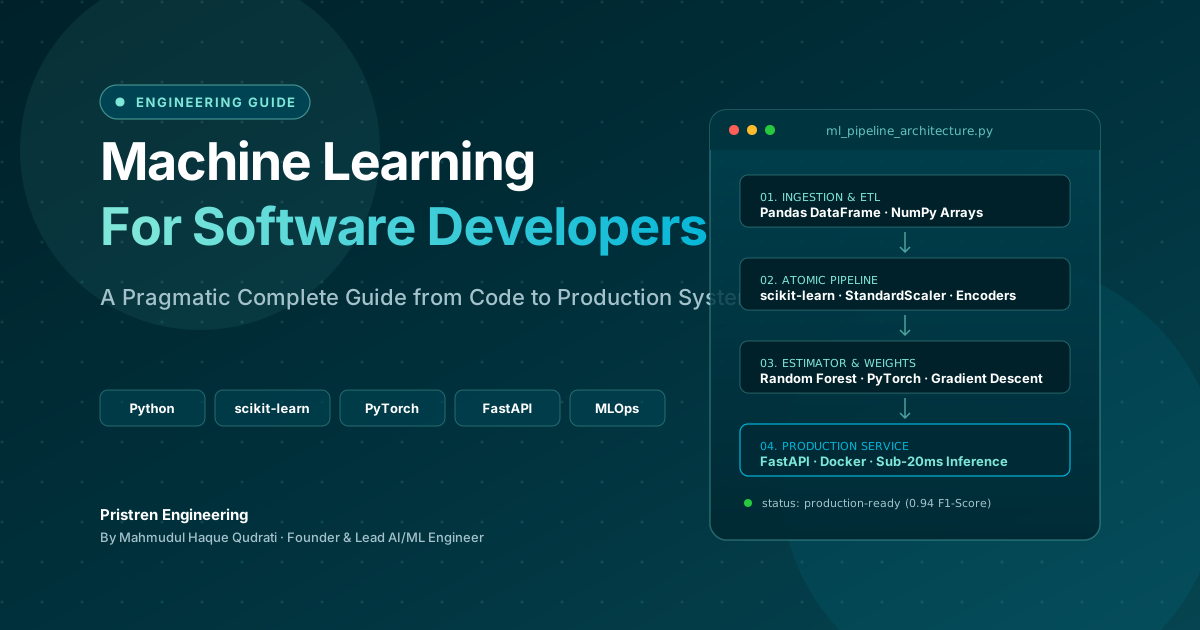
Machine Learning: Complete Guide for Software Developers
Learn machine learning as a software developer with this complete guide covering Python, algorithms, mathematics, projects, deep learning, and a practical roadmap.
 4 min read
How to Get Started with Computer Vision as a Developer?
A hands-on guide for developers entering computer vision: pick the right library, write your first pipeline, and avoid common pitfalls.
 7 min read
ONNX: Export Any ML Model and Run It Anywhere
ONNX (Open Neural Network Exchange) is the universal model format - export from PyTorch, scikit-learn, or HuggingFace and run 3x faster inference with ONNX Runtime on CPU or GPU.
// discussion
Comments