Gradio: Create Interactive ML Demos That Anyone Can Use in 5 Lines
Gradio lets you wrap any Python function in a web UI with automatic type inference, and every app doubles as a REST API - deploy to Hugging Face Spaces for free in minutes.

Mahmudul Haque Qudrati
CEO & ML Engineer
March 22, 2026
7 min read
One AI engineering post, weekly
LLM benchmarks, prompt techniques, and token-cost breakdowns — not another AI news roundup.
Gradio is the fastest way to create interactive demos for ML models. Five lines of Python creates a shareable web UI with inputs, outputs, and an automatically generated REST API.
The library is maintained by Hugging Face and is the standard for sharing model demos in the ML community. Every model on Hugging Face Spaces is a Gradio (or Streamlit) app.
gr.Interface: Simplest Path to a Demo
python
import gradio as gr
from transformers import pipeline

classifier = pipeline("sentiment-analysis")

def analyze(text: str) -> dict:
    result = classifier(text)[0]
    return {"label": result["label"], "confidence": round(result["score"], 3)}

demo = gr.Interface(
    fn=analyze,
    inputs=gr.Textbox(label="Input text", placeholder="Type something..."),
    outputs=gr.JSON(label="Result"),
    title="Sentiment Analyzer",
    examples=["I love this product!", "This is terrible."],
)

demo.launch()
Gradio infers input/output types automatically. Pass a string → gets a Textbox. Pass an image → gets an Image upload component.
Team workspace
Ship faster with chat, meetings, and projects in one place — Zlyqor.
gr.Blocks: Custom Layouts
python
import gradio as gr

with gr.Blocks() as demo:
    gr.Markdown("# Image Classifier")

    with gr.Row():
        image_input = gr.Image(type="pil", label="Upload image")
        output_label = gr.Label(num_top_classes=5, label="Predictions")

    with gr.Row():
        classify_btn = gr.Button("Classify", variant="primary")
        clear_btn = gr.ClearButton([image_input, output_label])

    classify_btn.click(fn=classify_image, inputs=image_input, outputs=output_label)

demo.launch()
gr.ChatInterface for LLM Chatbots
python
import gradio as gr
from anthropic import Anthropic

client = Anthropic()

def chat(message: str, history: list) -> str:
    messages = [{"role": h["role"], "content": h["content"]} for h in history]
    messages.append({"role": "user", "content": message})

    response = client.messages.create(
        model="claude-3-haiku-20240307",
        max_tokens=1024,
        messages=messages,
    )
    return response.content[0].text

demo = gr.ChatInterface(fn=chat, title="Claude Chat", type="messages")
demo.launch()
For streaming, return a generator from your chat function and Gradio handles the streaming UI automatically.
Auto-Generated API
Every Gradio app exposes a REST API automatically:
bash
# Call your Gradio app's API
curl -X POST http://localhost:7860/api/predict   -H "Content-Type: application/json"   -d '{"data": ["Hello world"]}'
The Python client makes this even simpler:
python
from gradio_client import Client

client = Client("https://your-app.hf.space")
result = client.predict("Hello world", api_name="/predict")
Sharing Your Demo
python
# Temporary public URL (72 hours)
demo.launch(share=True)

# Deploy to Hugging Face Spaces (permanent, free)
# 1. Create a Space at huggingface.co/spaces
# 2. Push your app.py + requirements.txt to the Space repo
# 3. HF Spaces builds and hosts it automatically
Gradio vs Streamlit
Use Gradio when: you want to demo a specific ML model, you want an auto-generated API, you are deploying to Hugging Face Spaces, or you need the simplest possible UI. Use Streamlit when: you are building a full data app (dashboards, multi-page), you need custom layouts and complex state, or you are building an internal tool.
Resources: Gradio docs, GitHub, HF Spaces.
#gradio#demo#huggingface-spaces#ui#python
Mahmudul Haque Qudrati
CEO & ML Engineer
Visionary technologist, software engineer, and machine learning specialist. Founder and CEO of Pristren, directing engineering teams that ship production-grade AI/ML pipelines, mission-critical full-stack applications, and developer tooling. Creator of Zlyqor, the unified team workspace platform. Author of 540+ technical guides and benchmark research reports on large language models, agentic workflows, Model Context Protocol (MCP), and modern web stacks.


More from Mahmudul
Related Articles
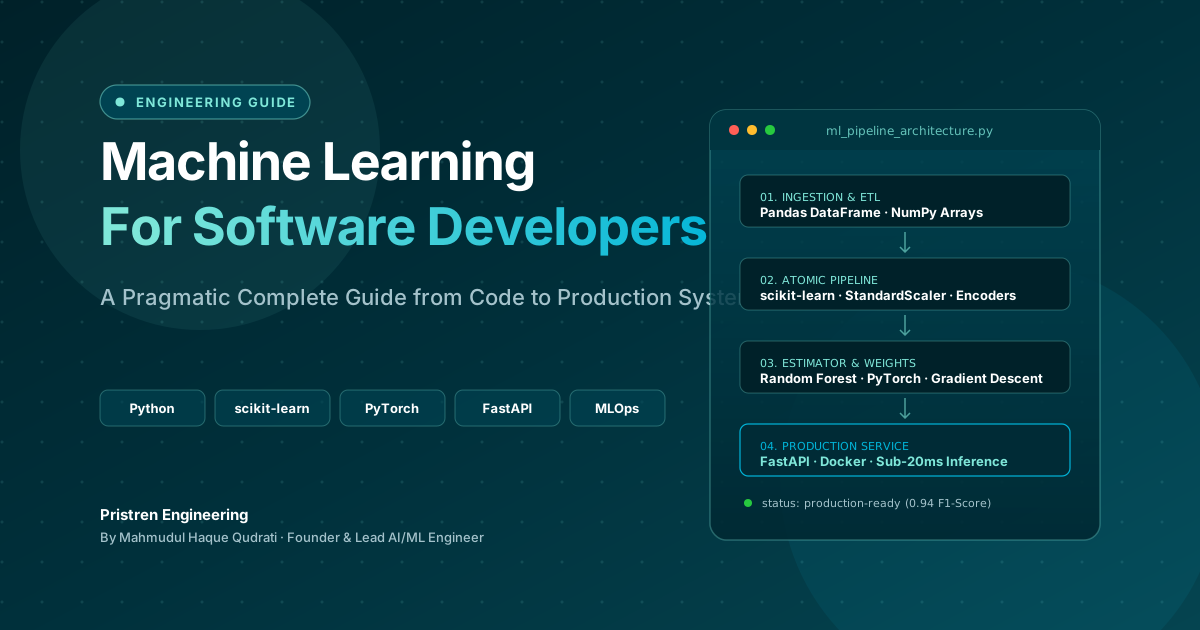 11 min read
Machine Learning: Complete Guide for Software Developers
Learn machine learning as a software developer with this complete guide covering Python, algorithms, mathematics, projects, deep learning, and a practical roadmap.
 6 min read
How to Use Claude to Make Videos Like Vox and Others
Claude can help you make Vox-style videos by generating scripts, editing with code, and automating animation. Here's a practical guide with real workflows and costs.
 5 min read
OpenAI Ends Cursor Model Access on Nov 12, 2026: What Developers Need to Know
OpenAI will terminate Cursor's access to its models on November 12, 2026, following SpaceX's acquisition. This guide explains the timeline, why it happened, and practical steps to migrate your workflow.
// discussion
Comments