Marimo: The Reactive Python Notebook That Fixes Everything Wrong With Jupyter
Marimo solves Jupyter's reproducibility problem with DAG-based reactivity - edit any cell and all dependents re-run automatically, and notebooks are stored as plain Python files.

Mahmudul Haque Qudrati
CEO & ML Engineer
March 26, 2026
7 min read
One AI engineering post, weekly
LLM benchmarks, prompt techniques, and token-cost breakdowns — not another AI news roundup.
Jupyter notebooks have one fundamental flaw: hidden state. You can run cells out of order, delete a cell but keep its variables in memory, and share a notebook that works on your machine but fails for everyone else because they ran cells in a different order.
The fix requires a different mental model. Marimo approaches notebooks as a directed acyclic graph (DAG) - cells have explicit dependencies, and the execution order is always deterministic.
How Marimo's Reactivity Works
python
# Cell 1: define a variable
df = pd.read_csv("sales.csv")

# Cell 2: depends on df  -  runs automatically when Cell 1 changes
summary = df.groupby("region")["revenue"].sum()

# Cell 3: depends on summary  -  runs automatically when Cell 2 changes
chart = summary.plot(kind="bar")
Edit Cell 1 (load a different CSV) → Cell 2 and Cell 3 re-run automatically. This is the DAG. Marimo tracks dependencies at the variable level, not the cell level.
Team workspace
Ship faster with chat, meetings, and projects in one place — Zlyqor.
Interactive UI Without Widget Overhead
python
import marimo as mo
import polars as pl

# Create an interactive slider
threshold = mo.ui.slider(0, 100, value=50, label="Revenue threshold")
threshold  # display it

# This cell re-runs when threshold changes
df = pl.read_csv("data.csv")
filtered = df.filter(pl.col("revenue") > threshold.value)
mo.ui.table(filtered)
Marimo UI elements (mo.ui.*) are reactive - change a slider and all cells that reference its value re-run. This works without IPython widgets or JavaScript.
Notebooks as Pure Python Files
This is a significant advantage for teams. Every Marimo notebook is a valid .py file:
python
import marimo

app = marimo.App()

@app.cell
def load_data():
    import pandas as pd
    df = pd.read_csv("sales.csv")
    return (df,)

@app.cell
def analyze(df):
    summary = df.groupby("region")["revenue"].sum()
    return (summary,)

if __name__ == "__main__":
    app.run()
This means:
- Git diffs are readable (no JSON notebook format)
- Import notebooks as Python modules
- Run in CI without a notebook server
- Linters and type checkers work on them
Converting a Notebook to a Web App
bash
# Development mode (edit and run interactively)
marimo edit my_notebook.py

# App mode (read-only, deployable web app)
marimo run my_notebook.py

# Convert existing Jupyter notebook
marimo convert my_notebook.ipynb > my_notebook.py
marimo run serves the notebook as a web app where users interact with UI elements but cannot edit cells. This is the equivalent of Streamlit for Marimo notebooks.
Marimo vs Jupyter vs Observable
| Jupyter | Marimo | Observable | |
|---|---|---|---|
| Reactivity | Manual | Automatic DAG | Automatic |
| File format | JSON | Python | JavaScript |
| Version control | Difficult | Easy (plain .py) | Easy |
| Type checking | No | Yes | No |
| Deploy as app | nbconvert/Voilà | marimo run | Observable |
When to Use Marimo
Marimo is best for: reproducible research notebooks, data exploration that becomes a report, internal tools that non-technical users will interact with, and any team that has suffered from Jupyter hidden-state bugs. Keep Jupyter for: existing notebooks in ecosystems that depend on the .ipynb format, or when colleagues are not ready to change their workflow.
#marimo#notebooks#reactive#python#reproducibility
Mahmudul Haque Qudrati
CEO & ML Engineer
Visionary technologist, software engineer, and machine learning specialist. Founder and CEO of Pristren, directing engineering teams that ship production-grade AI/ML pipelines, mission-critical full-stack applications, and developer tooling. Creator of Zlyqor, the unified team workspace platform. Author of 540+ technical guides and benchmark research reports on large language models, agentic workflows, Model Context Protocol (MCP), and modern web stacks.


More from Mahmudul
Related Articles
 11 min read
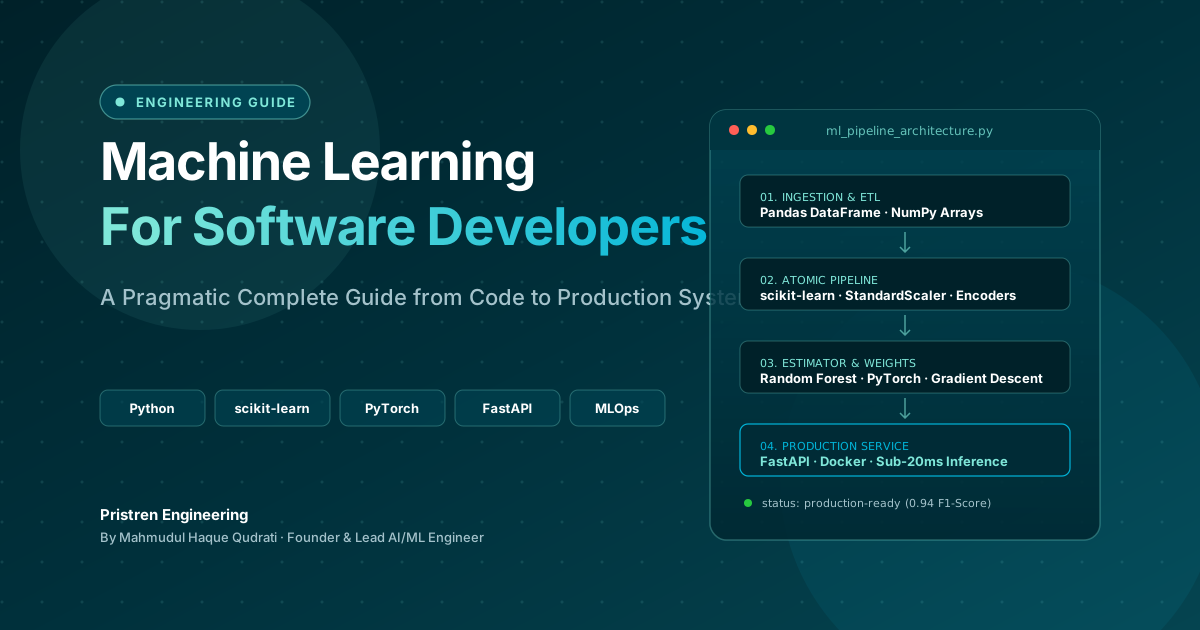
Machine Learning: Complete Guide for Software Developers
Learn machine learning as a software developer with this complete guide covering Python, algorithms, mathematics, projects, deep learning, and a practical roadmap.
 6 min read
How to Use Claude to Make Videos Like Vox and Others
Claude can help you make Vox-style videos by generating scripts, editing with code, and automating animation. Here's a practical guide with real workflows and costs.
 5 min read
OpenAI Ends Cursor Model Access on Nov 12, 2026: What Developers Need to Know
OpenAI will terminate Cursor's access to its models on November 12, 2026, following SpaceX's acquisition. This guide explains the timeline, why it happened, and practical steps to migrate your workflow.
// discussion
Comments